MY ROLE
Product Designer · UX/UI

Complex landlord
workflows,
made clear.
MY ROLE
Product Designer · UX/UI
CONSTRAINT
Legal, financial and operational tasks compete for attention, while urgent notice workflows need a shorter route than full setup.
DECISION
Organize the experience around context, priority and action, with separate full-setup and Quick N4 paths.
EVIDENCE IN THIS CASE
Dashboard hierarchy, guided onboarding, Quick N4, responsive states and reusable UI patterns.
VALIDATION STATUS
The case documents the product logic and interface. The outcome statements below are design intent, not measured usability results.
01
Landlords manage operational, financial and legal responsibilities at once: rent, arrears, notices, evidence, property operations, records, tax information and deadlines.
The challenge was not feature coverage. It was defining a decision model that helps users understand context, identify risk and move to the right next action without exposing unnecessary complexity.
ROLE
Product Designer · UX/UI
SCOPE
Product strategy · IA · onboarding · responsive UX
PLATFORM
Responsive web app · desktop + mobile
02
Product hypothesis: separating portfolio context, urgent risk and next action would reduce interpretation and make complex operational states easier to act on.
WHAT IS HAPPENING?
Portfolio state, rent performance and active issues.
WHAT NEEDS MY ATTENTION?
Deadlines, overdue rent, missing documents and compliance risk.
WHAT SHOULD I DO NEXT?
Connect each important state to a clear, relevant action.
03
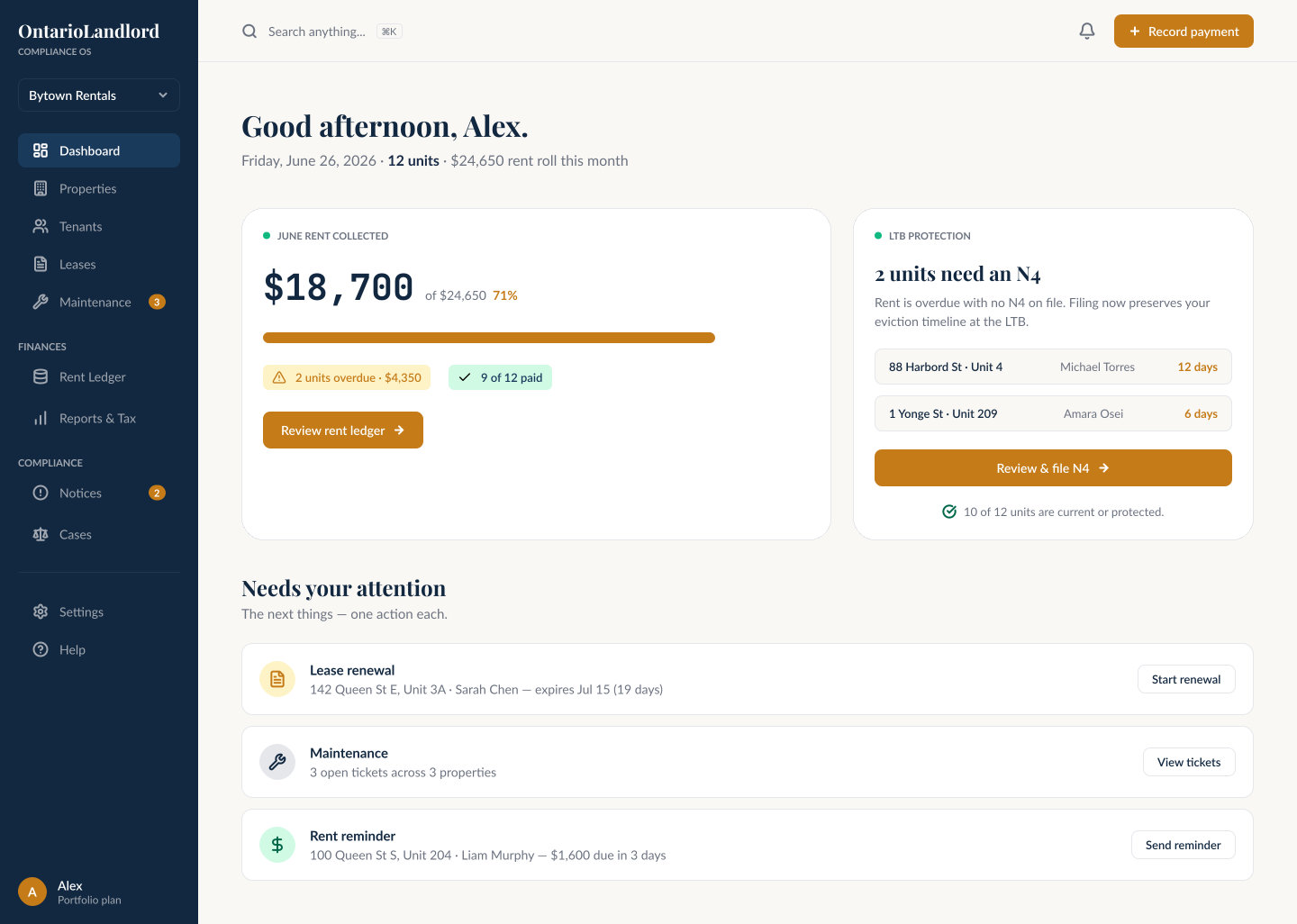
The dashboard becomes a decision layer: establish context first, surface priority second, then connect each important state to an action that matches its urgency.
Dashboard evidence
The interface separates portfolio context, urgent states and relevant actions so the dashboard works as a decision layer rather than a list of features.
01 · CONTEXT
Portfolio state, rent performance, properties and current workload.
02 · PRIORITY
Overdue rent, deadlines, missing documents and compliance risk.
03 · ACTION
Relevant next steps for notices, tenant issues, evidence and follow-up.
04
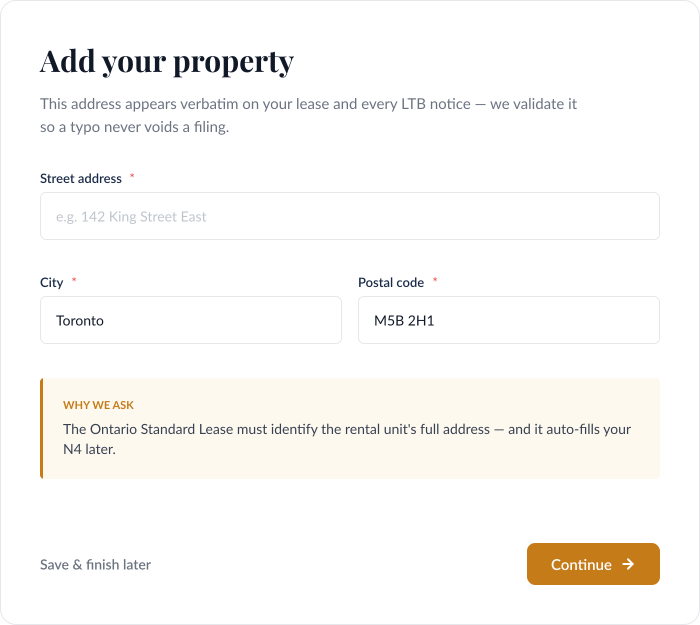
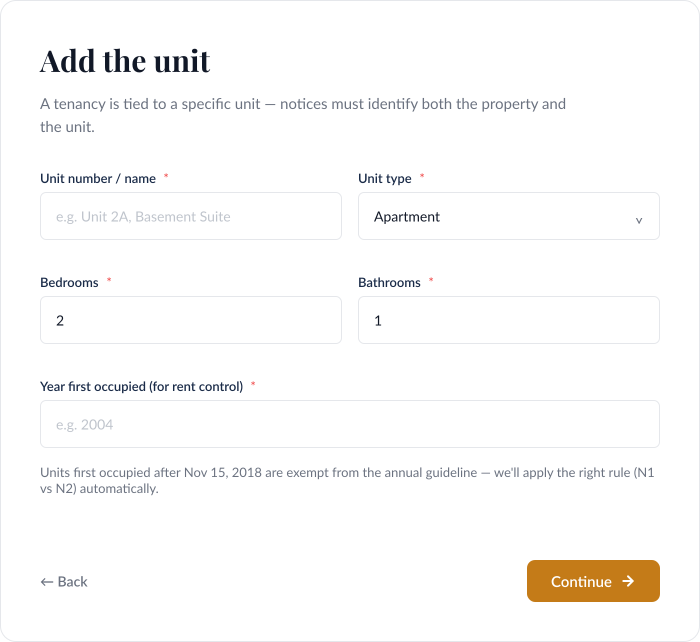
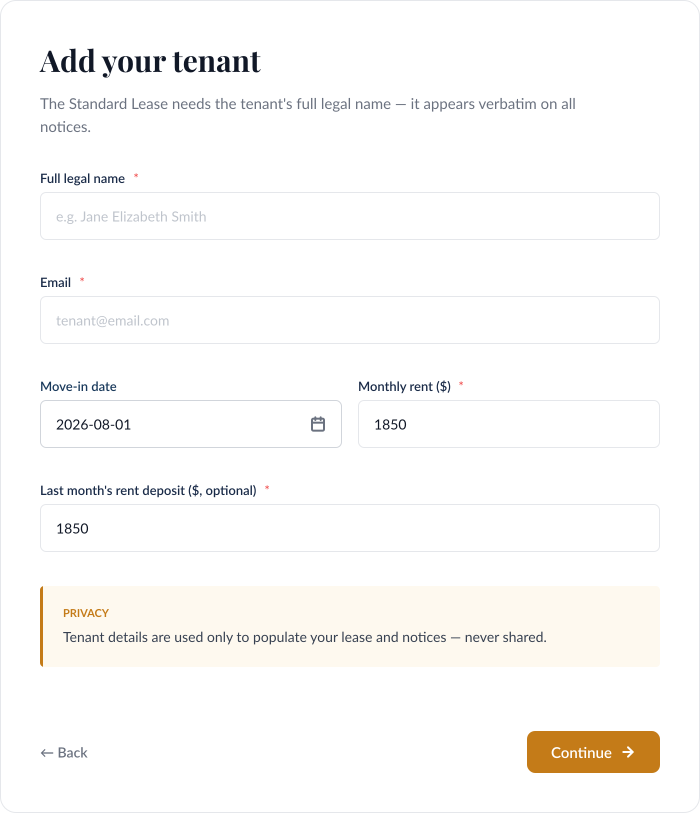
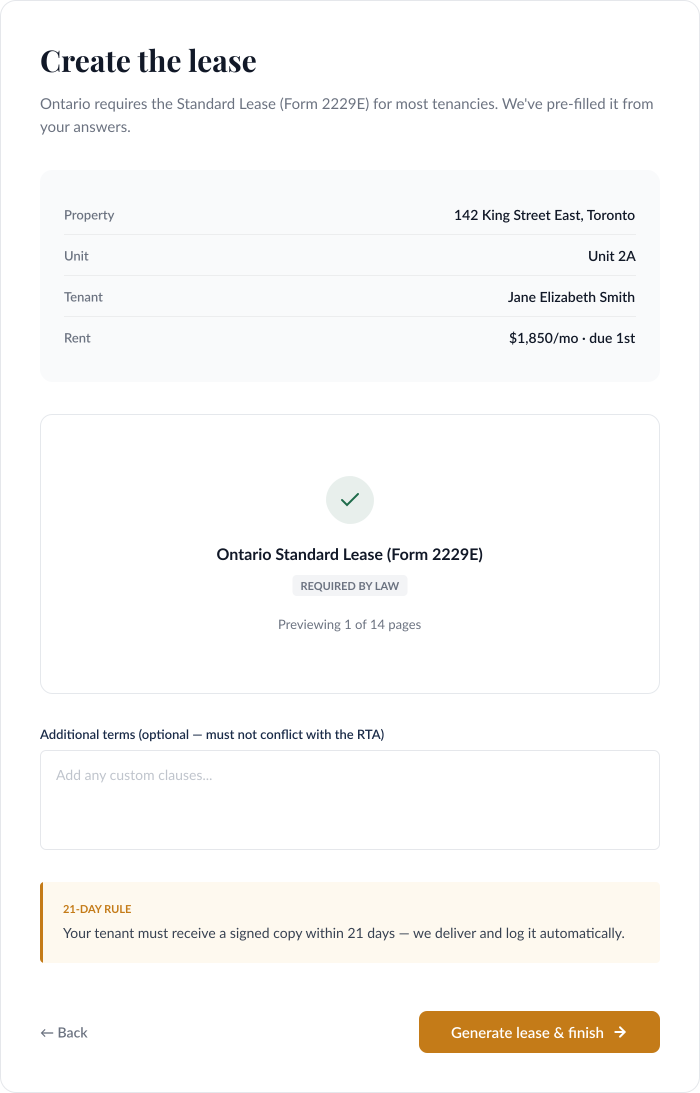
New landlords move through property, unit, tenant and lease setup one decision at a time. Context appears when it is relevant instead of exposing the full platform at once.
01
Action
Choose rental action
02
Property
Property setup
03
Unit
Unit information
04
Tenant
Tenant details
05
Lease
Lease setup
06
Complete
Ready to manage
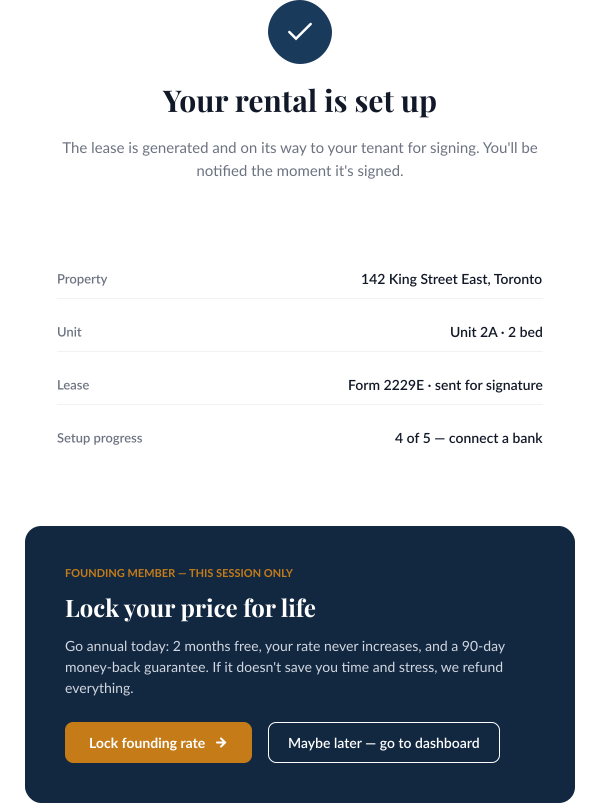
Start by choosing the rental task. The product frames setup around the landlord's intent before asking for property details.
01 / 06
05
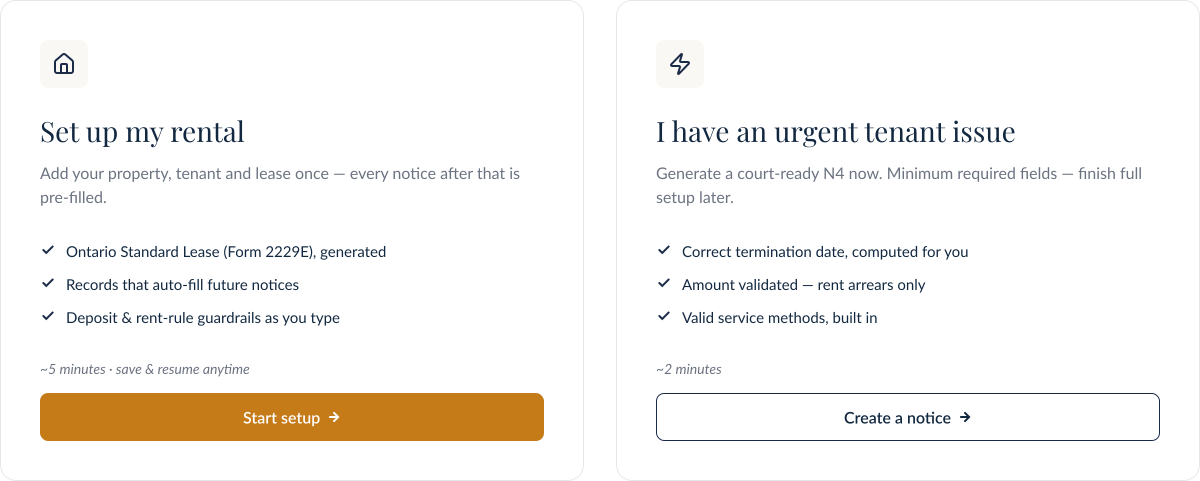
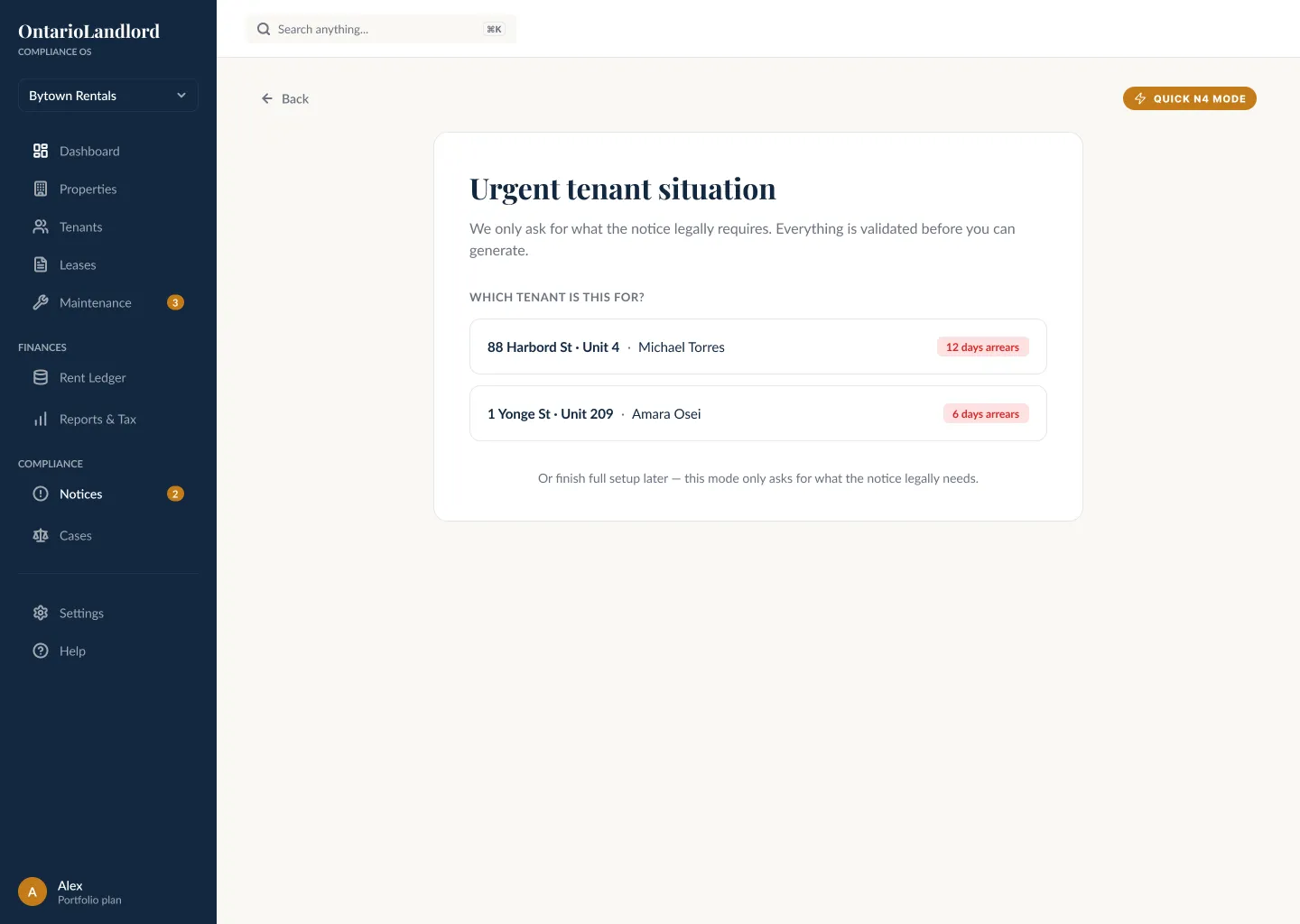
Long-term management needs complete setup. Urgent compliance work needs a shorter route. The product separates those paths without splitting the underlying rental model.
Full Setup
Property, unit, tenant and lease information are completed in sequence to create reusable context for ongoing management.
Quick N4
The shorter route removes unrelated setup steps while preserving the same underlying rental context.
Alternative considered
Require every landlord to complete one universal onboarding flow before reaching any operational task.
Decision
Separate long-term account setup from urgent compliance work so time-sensitive actions can begin without forcing unrelated setup steps.
Why
The route changes, but the data model stays shared. That avoids duplicating product logic while still supporting a time-sensitive workflow.
Evidence
Both routes converge into the same dashboard and rental structure, preserving consistency across later workflows.
06
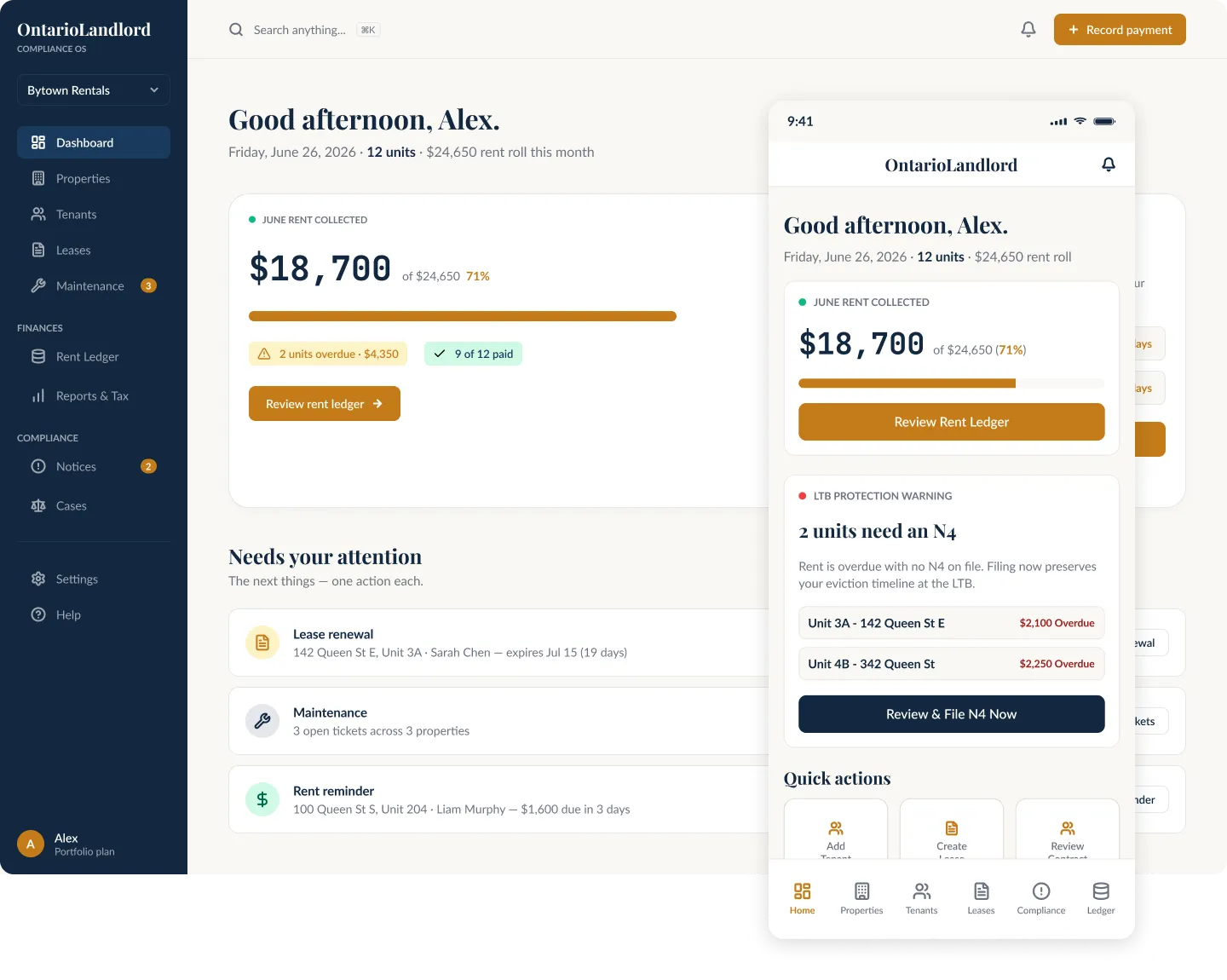
The same navigation model, status language and action patterns carry across dashboard, properties, tenant profiles, leases, notices and rent management, reducing relearning as the product expands.
SHARED NAVIGATION
Same mental model across desktop and mobile.
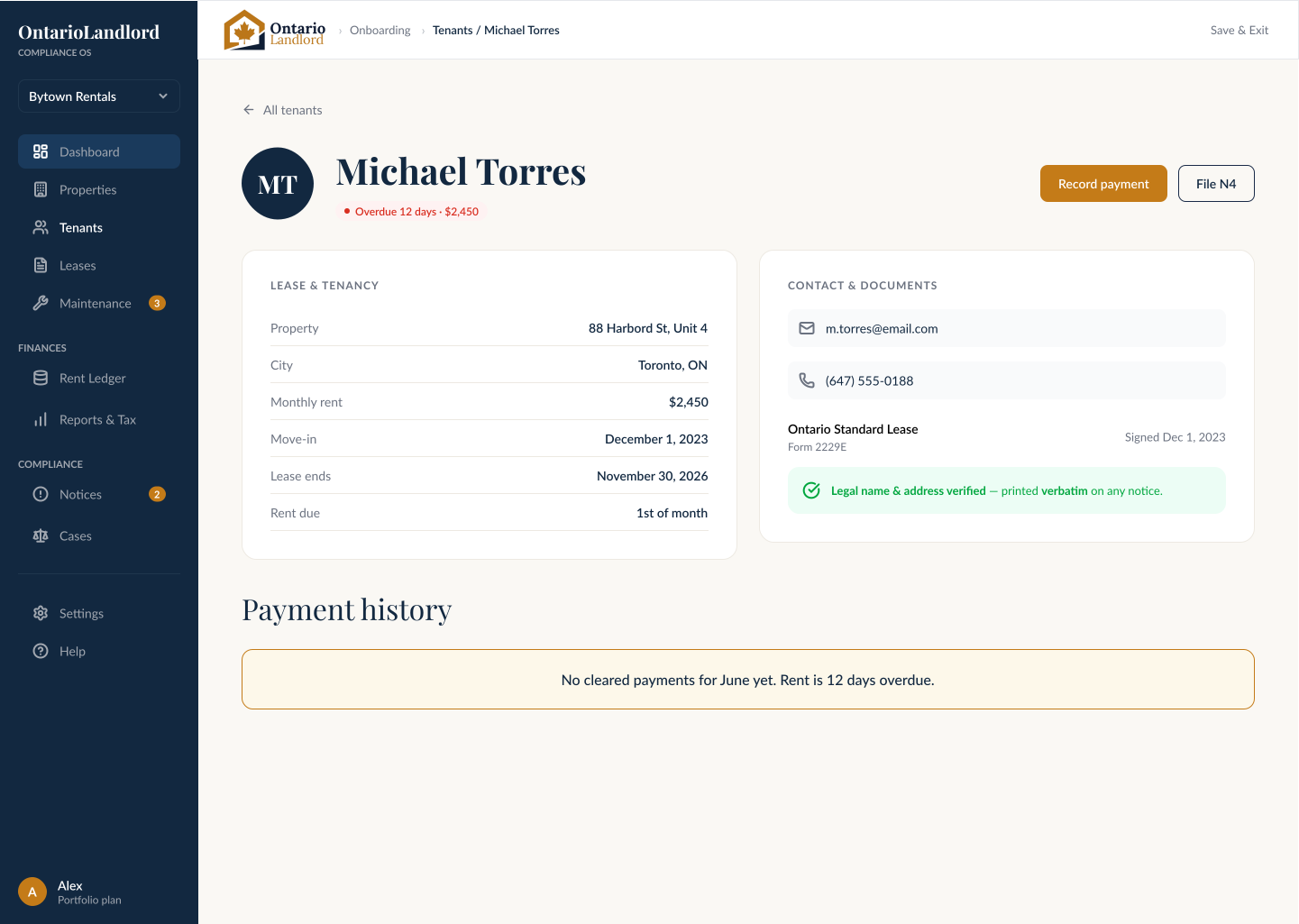
CONSISTENT STATUS
Alerts, payment states and compliance indicators stay familiar.
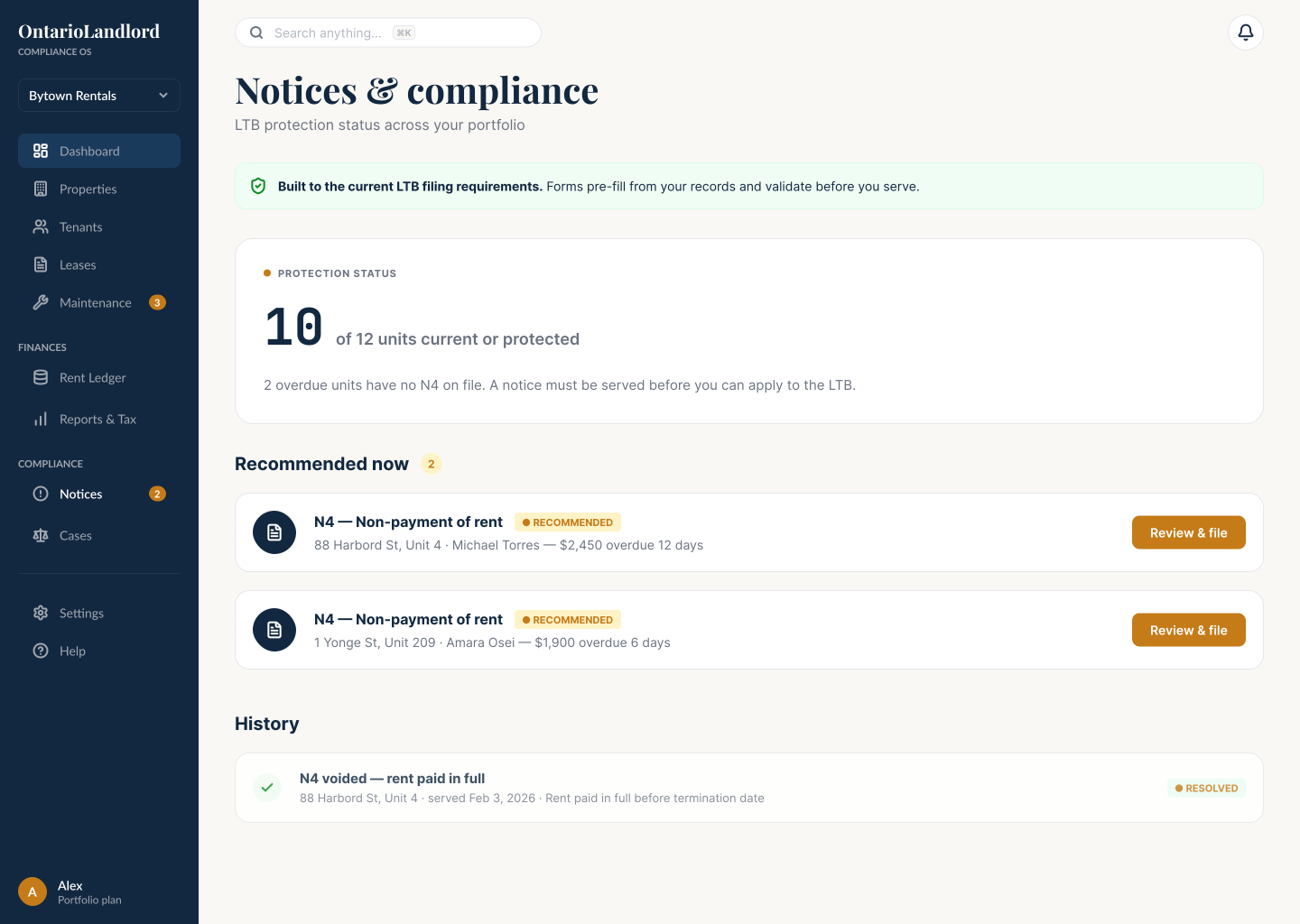
PERSISTENT ACTION
Important actions remain easy to find at each screen size.
07
Shared foundations and reusable components keep onboarding, rent management, tenant records and compliance states consistent across the product.
Foundations
Clear hierarchy
Playfair Display + Lato
Property card
142 Queen St E
ActiveToronto, ON · 3 units
$4,200
Monthly
87%
Occupancy
Notice card
N1 — Non-Payment of Rent
Sarah Mitchell · Unit 2A
$2,100.00
Effective: Dec 13, 2023
Input
Alert
Info alert title
This is an informational alert message to keep users informed.
Onboarding step
Action queue item
88 Harbord St — Lease Renewal
Lease expires Jan 30. Begin renewal to retain tenant.
Begin Renewal08
Reusable patterns keep navigation, forms, alerts, statuses and responsive layouts consistent as the product grows.
01 · CORE WORKFLOW
Quick N4 Mode
02 · ADDITIONAL PRODUCT STATES
Tenant Profile
03 · REUSABLE PATTERNS
Notices and Compliance
04 · EXPANDED PRODUCT COVERAGE
Reports and Tax
01 · CORE WORKFLOW
Quick N4 Mode
02 · ADDITIONAL PRODUCT STATES
Tenant Profile
03 · REUSABLE PATTERNS
Notices and Compliance
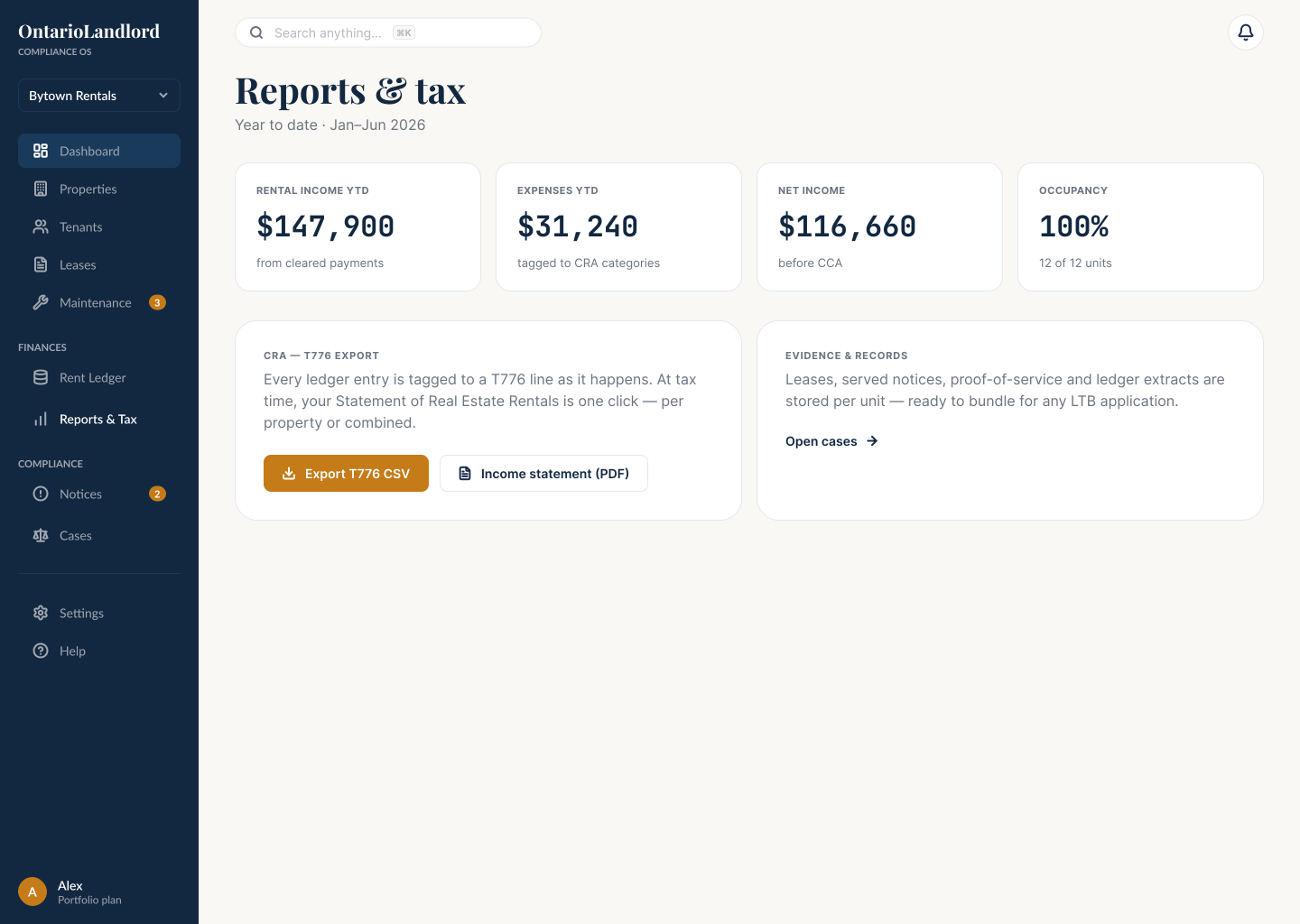
04 · EXPANDED PRODUCT COVERAGE
Reports and Tax
DESIGN INTENT · Clearer priorities
Designed to make rent performance, deadlines and compliance risks easier to identify.
DESIGN INTENT · Lower setup effort
Guided onboarding is designed to reduce the effort required to create a rental profile.
09
The redesign turns fragmented tasks into a decision system: establish context, surface priority, guide the next action, and preserve that logic across workflows and screen sizes.
PRODUCT UX
Information architecture, user flows, dashboard hierarchy and guided task design.
UI SYSTEM
Responsive layouts, reusable patterns and consistent visual states.
CONTRIBUTION
Product strategy, UX/UI, onboarding, responsive design and Figma system.